Crowd counting · iPhone
CrowdScope estimates how many people are at a gathering in seconds, using your iPhone camera. An honest range, its margin of error, and a PDF report that documents how it was measured.
iPhone with iOS 18 or later · app available in 9 languages
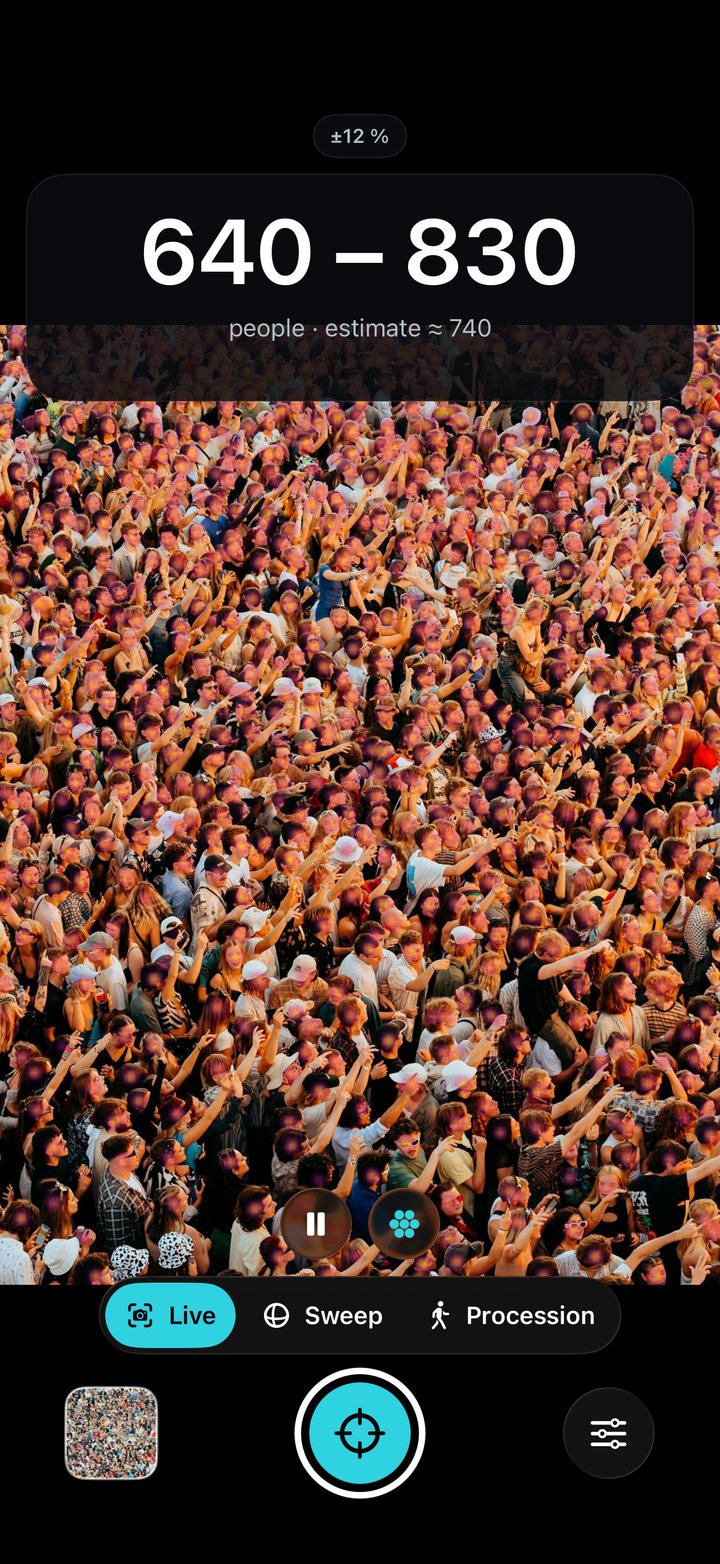
At a rally or a gathering, the figures given by organizers and by the police can differ by a factor of two or more. Each side has its own method and its own vantage point. CrowdScope doesn't replace either: it adds an independent estimate, measured on the spot and documented.
From a small, scattered gathering to a packed square, and soon a march that goes on for hours.
A crowd in front of you
Point and get an instant range with its margin and a density map. The app picks the right model by itself, for sparse or dense crowds.
A crowd wider than the lens
Turn on the spot to cover the whole crowd: each area is counted only once.
A march that lasts for hours
With your iPhone fixed on a tripod or a balcony, the app counts the people who cross a line drawn across the march, in both directions, for hours.
A live range appears on screen, with a density heat map.
Turn on the spot: each area is counted only once.
One tap saves the reading and creates a PDF report ready to send.
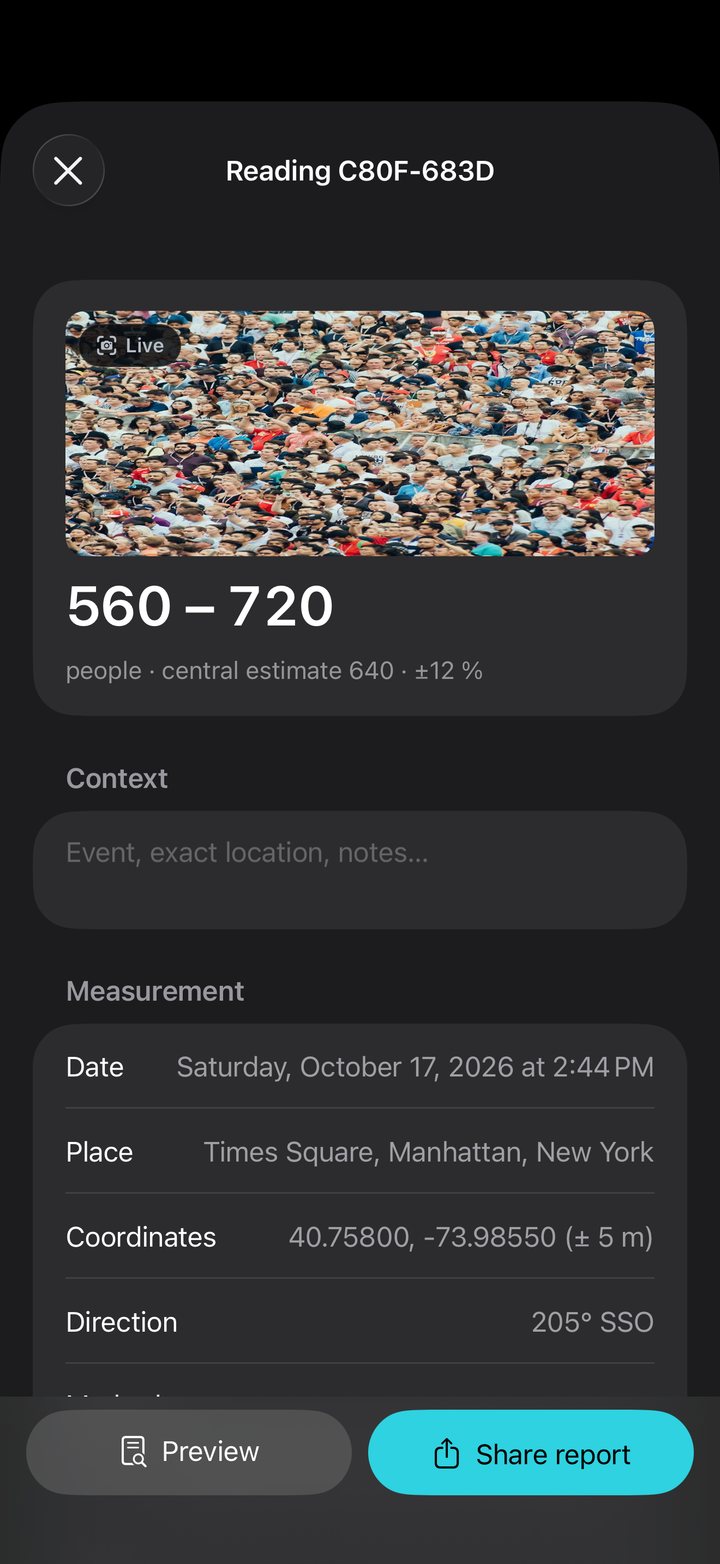
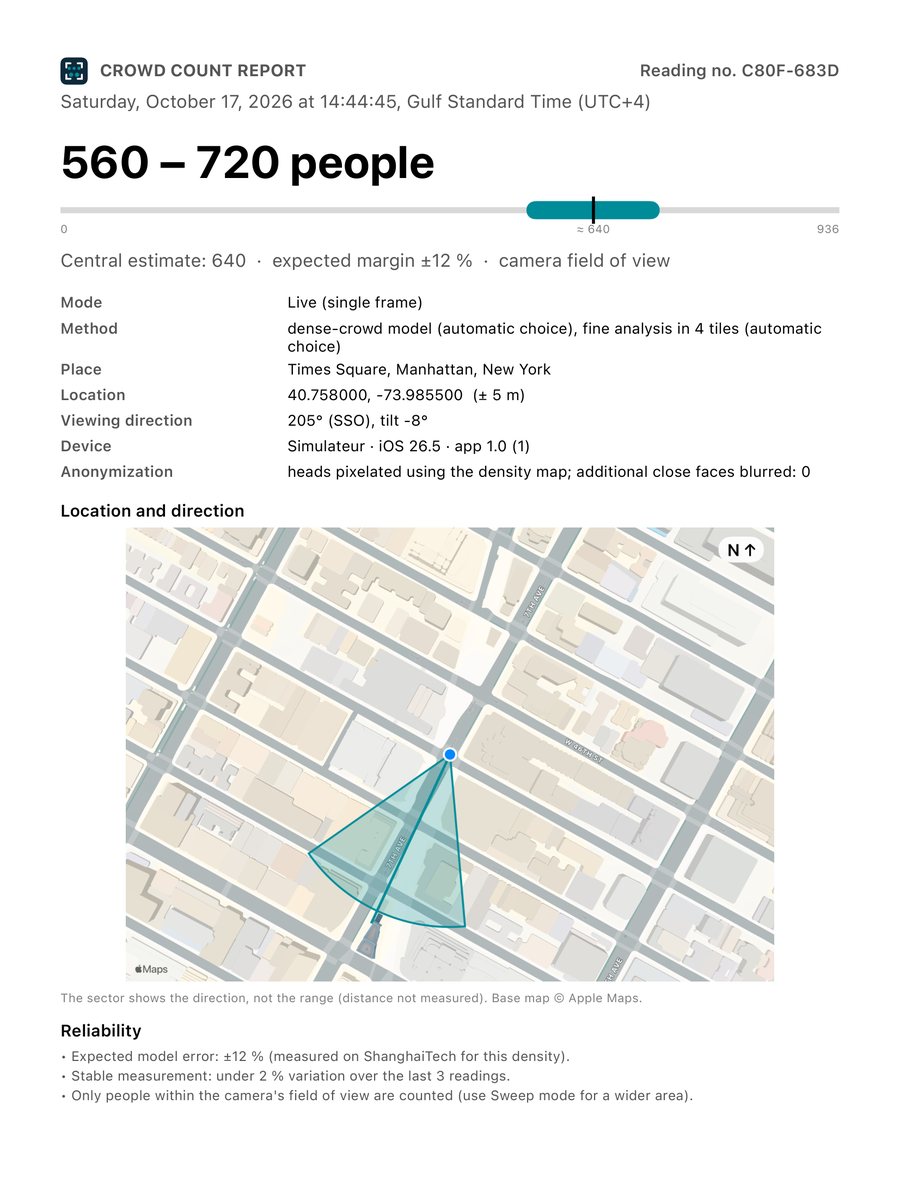
For example 560 – 720 people, with the expected margin. Never a made-up exact figure.
Date, time and time zone, GPS position, viewing direction on a map, images, reliability notes, reading number.
In the report, heads are pixelated and close faces blurred. You can turn it off.
The AI runs on the Neural Engine, even offline. No image uploaded, no account.
Every reading stays on your iPhone: edit your notes, regenerate the PDF anytime.
On iPhones with LiDAR, rejects false crowds up close (rugs, patterns).
A sourced figure with place, time and method that your editor can check. Send the PDF in one tap.
A quick attendance estimate, logged with position and direction, ready to attach to a report.
Track attendance at an event, a square or a fan zone, reading after reading.
average error in Live mode, on dense crowds
3 free 60-second scans to judge it on a real crowd. CrowdScope Pro unlocks unlimited scans and PDF reports: €4.99/month or €39.99/year in the euro zone.
Outside the euro zone, the App Store shows your local price. Cancel anytime in your Apple Account settings.
No, by design: CrowdScope gives a range with its measured margin of error. The report states the method, how stable the reading was, and its limits.
No. Counting, images and the report are all produced on the iPhone. You decide who gets the PDF.
No. The LiDAR filter (which rejects false crowds up close) only exists on iPhones with LiDAR; everything else works on any iPhone with iOS 18 or later.
The range and central estimate, date, time and time zone, GPS position, viewing direction (or swept sector) on a map, anonymized images, reliability notes and a reading number.
Coming soon: Procession mode arrives in version 1.1 (CrowdScope Pro). Today, CrowdScope counts the crowd visible at a given moment, in Live or Sweep mode. With Procession mode, your iPhone, on a tripod or a balcony, counts the people who cross a line, in both directions, for as long as the march lasts. Stated margin ±20%, measured on reference videos (HT21).
In Settings › your name › Subscriptions, like any App Store subscription.
Scan the QR code with your iPhone or open the App Store link.
Download on the App Store
 CrowdScope